
Add a menu item
- Open Menu items.
- Choose Add menu item.
- Choose the Vendor. You cannot move an item to another vendor after it is saved.
- Set the item, then Save menu item.
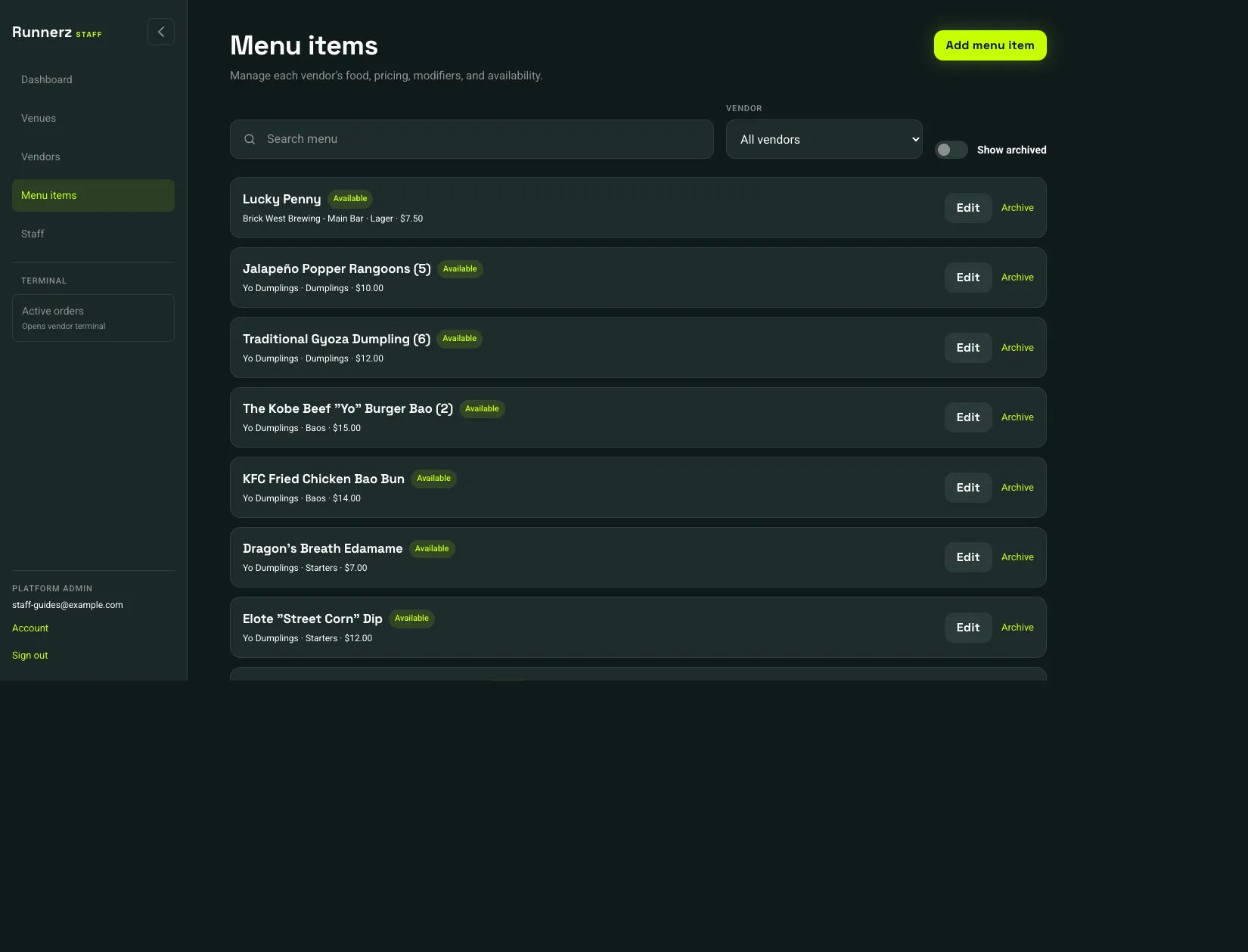 Add menu item: 1Available, unavailable, or archived: 2
- Add menu item
- Available, unavailable, or archived
Each card shows the vendor, category, and price. Available means customers can buy it. Unavailable stays on your list and is off the customer menu. Use Show archived to see items you have archived.
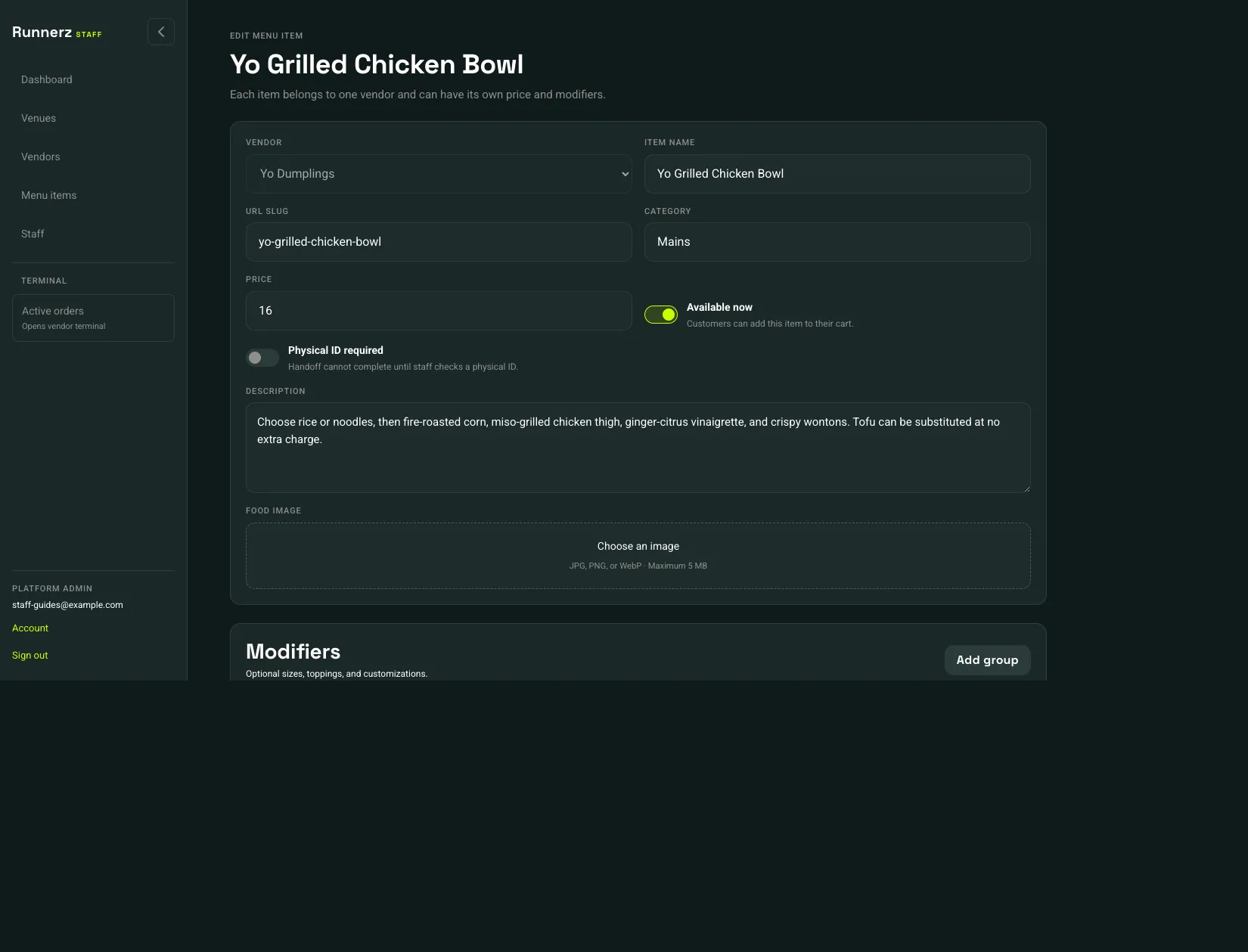 Price: 1Available now: 2Physical ID required: 3
- Price
- Available now
- Physical ID required
- Item name, URL slug, Category, and Price
- Available now — customers can add this item to their cart. During service, the same switch is Items on the terminal. See Mark an item unavailable.
- Physical ID required — handoff cannot finish until staff checks a physical ID
- Description
- Food image (JPG, PNG, or WebP, up to 5 MB)
Modifiers are on the same page, under Modifiers. See Modifiers.