
Mark an item unavailable
Use this when the kitchen is still open but one item is gone. It is a terminal control, not a catalog edit.
- Open the terminal.
- Choose Items.
- Find the item. Search items narrows the list.
- Turn the switch off. The label changes from Available to Unavailable.
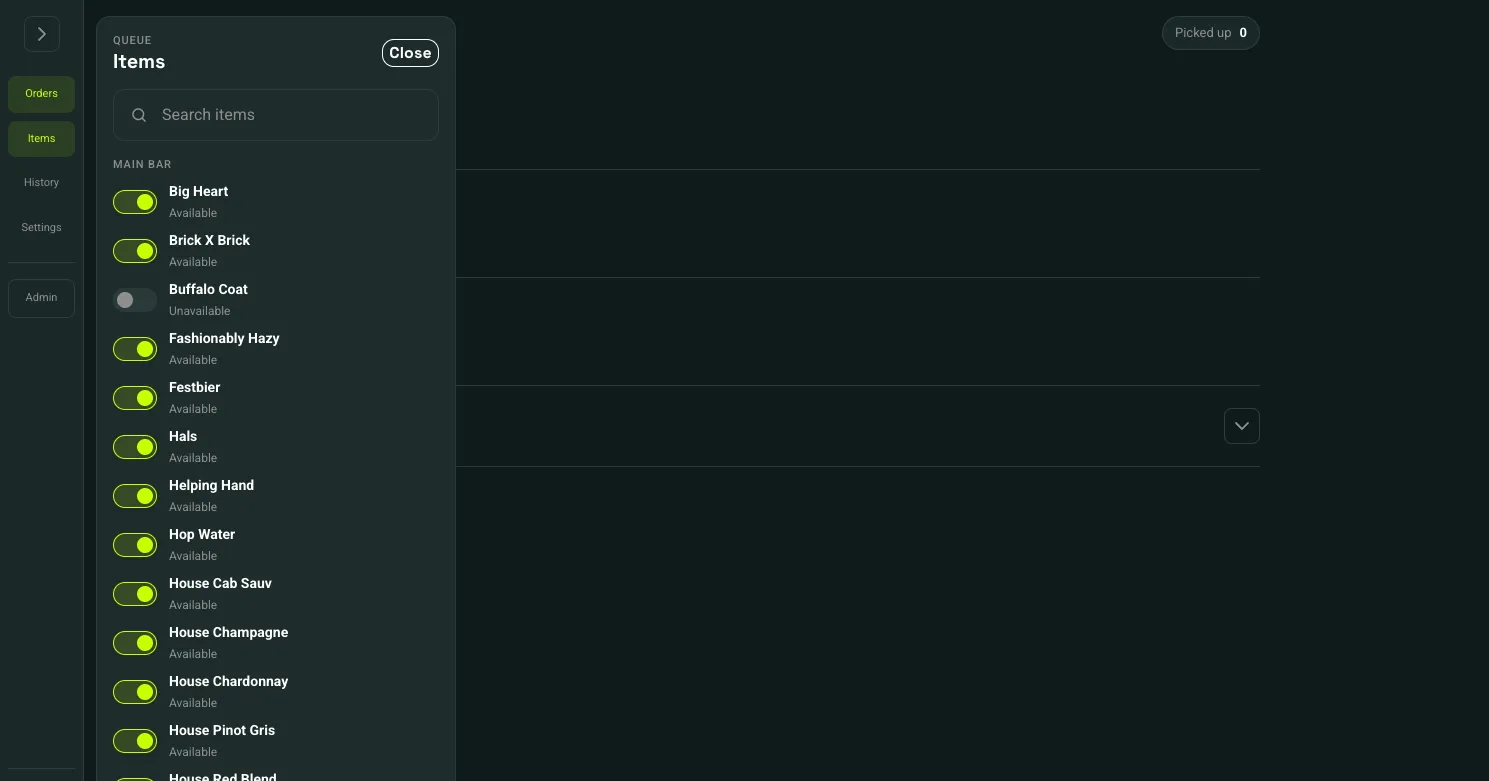 Items: 1Search items: 2Unavailable: 3
- Items
- Search items
- Unavailable
Customers no longer see that item on the menu. If it is already in a cart or on checkout, they cannot pay for it. A short notice names the item. They can remove it and continue with the rest of the order. A payment that still goes through is refunded, and the kitchen does not get a ticket. An order that was already paid stays paid.
Turn the switch back on when the item can be ordered again.
Available now on the menu item editor is the same switch for a planned menu change. See Add a menu item. To stop the whole vendor, use Pause orders.