Modifiers
Open the menu item, then scroll to Modifiers. Groups are optional sizes, toppings, and customizations.
- Choose Add group.
- Name the group and set Minimum and Maximum. A minimum of 1 means the customer must pick something. A maximum of 1 means they pick one option.
- Name each Option and set Price change. Use
0when the option is included. A positive number adds that amount to the item price. - Turn on Default for the option that should start selected.
- Save menu item.
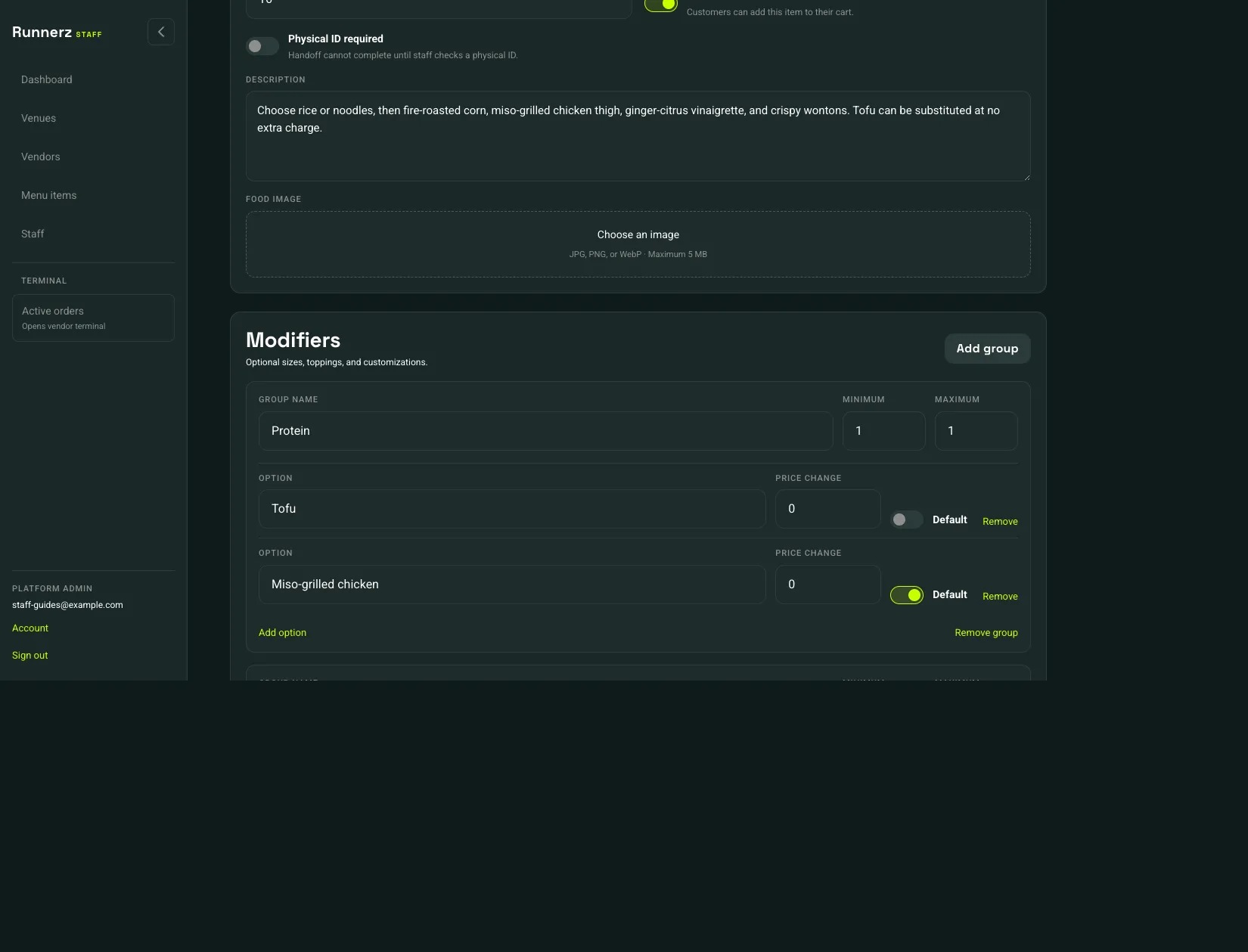 Add group: 1Price change: 2Default: 3
- Add group
- Price change
- Default
Add option adds another choice in the group. Remove deletes one option. Remove group deletes the whole group. Those changes are stored when you Save menu item.