
Choose vendor payouts
Open Vendors, choose Edit, then the Payments tab.
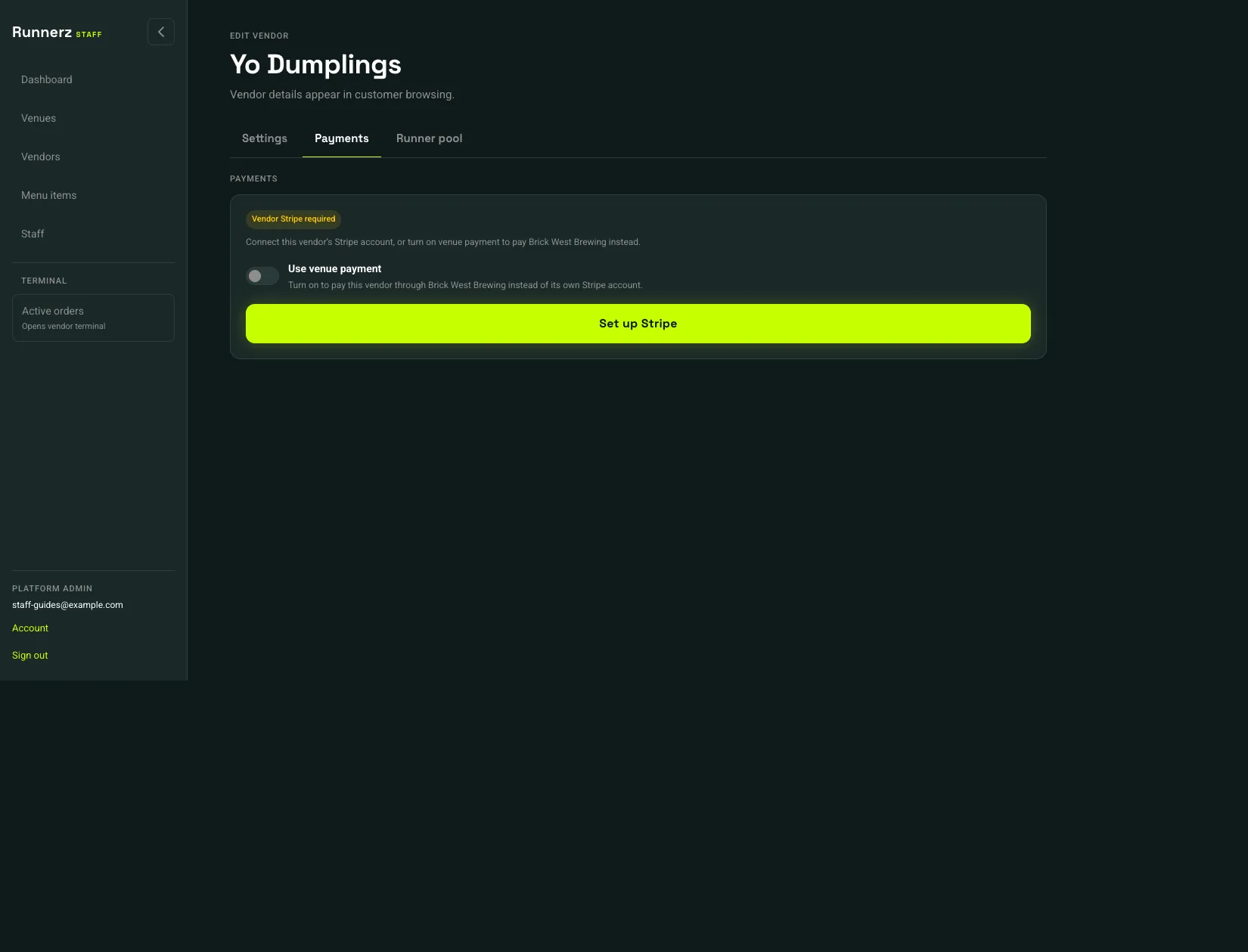 Payments: 1Use venue payment: 2Set up Stripe: 3
- Payments
- Use venue payment
- Set up Stripe
Two ways to get paid:
- Own Stripe account. Leave Use venue payment off and choose Set up Stripe. Continue until the status is Ready for vendor payouts. That account receives the vendor’s menu totals and Run to Me share.
- Venue payment. Turn on Use venue payment. Sales for this vendor transfer to the venue. The status reads Using Brick West Brewing payouts, with your venue’s name in that sentence, when the venue account is ready. It reads Venue payments are not ready when the venue account is not.
Customers cannot check out from a vendor until the chosen account is ready. Continue setup appears when Stripe already has an account and still needs information. Stripe is reviewing details means you can wait.
When a live payment succeeds, Stripe emails a receipt to the email on the customer’s account. A test payment does not send one. The $1 check that confirms a tab card is not a purchase, so it does not send one either.