
Invite and assign runners
A venue manager invites runners on the venue. A platform admin can do the same, and can also invite a Venue runner from Staff.
- Open Venues and Edit the venue.
- Scroll to Venue runners.
- Enter the email under Invite runner and choose Send invite.
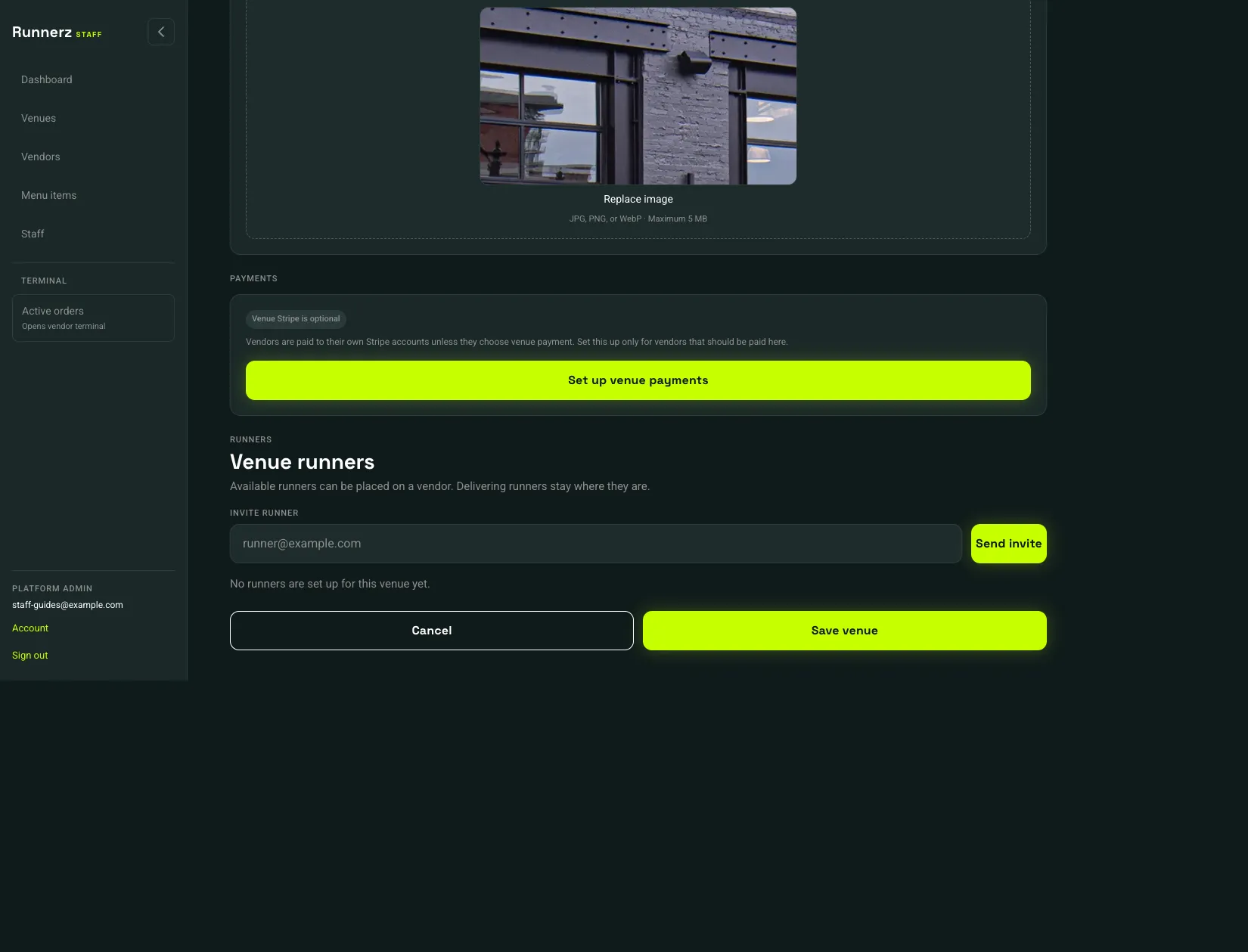 Send invite: 1
- Send invite
The runner sets a password from the email, then uses the runner app. On this list, duty is Offline, Available, or Delivering. Delivering runners stay on their current vendor.
To place an available runner on a vendor:
- On the venue, choose the vendor under Assign to vendor and choose Assign.
- Or open the vendor, go to Runner pool, and choose Scoop for this vendor.
 Runner pool: 1
- Runner pool
Runner pool does not send invitations. Invite from the venue, then assign here. When a Run to Me order is ready, a manager assigns one of those runners from the terminal. See Assign a runner.