
Hand off a pickup
A pickup ticket in Ready shows Customer handoff. The same panel is on Details.
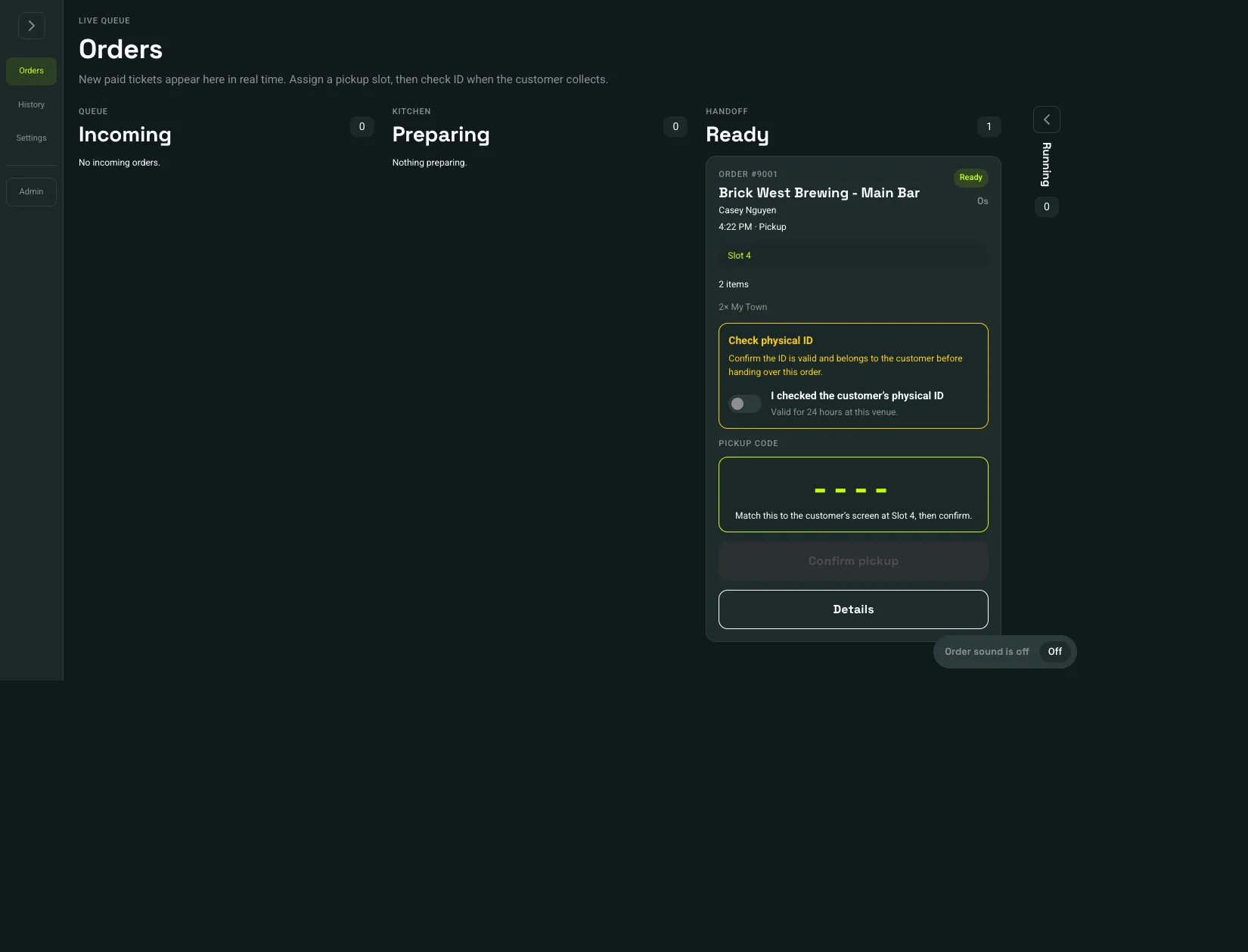 I checked the customer’s physical ID: 1Pickup code: 2Confirm pickup: 3
- I checked the customer’s physical ID
- Pickup code
- Confirm pickup
- If the order says Check physical ID, confirm the ID is valid and belongs to the customer. Turn on I checked the customer’s physical ID. That check is good for 24 hours at this venue. Later orders for that customer can show ID verified until it expires.
- Read the Pickup code and match it to the customer’s screen. The line under the code includes the slot, such as Slot 4.
- Choose Confirm pickup.
Confirm pickup stays off until a required ID check is on and the code is available. Completing handoff finishes the ticket. A handed-off order cannot be refunded from the live queue.